Publisher instructions for X to Y: Almost Impossible!
- Mouse
- Touch
- Drag & drop
- WASD keys
- Arrow keys
- Keyboard
PC (Keyboard) • WASD / Arrow Keys = Move • WASD / Arrow Keys and Shift = Fast Move • WASD / Arrow Keys and Space = Slow Move PC (Mouse) • Drag the left mouse button = Move Mobile/Tablet (Touch) • Tap & hold to move; drag your finger to move
Will it run on your device?
X to Y: Almost Impossible! has a 960×600 landscape canvas. The supplied controls mention touch input. Canvas dimensions and control notes alone do not verify compatibility with a particular phone or browser.
The catalogue lists Javascript as its technology. Performance depends on the game and your device. This game cannot be played on this site.
| Category | Arcade |
|---|---|
| Canvas size | 960 × 600 px |
| Orientation | Landscape (8:5) |
| Input | Mouse, Touch, Drag & drop, WASD keys, Arrow keys, Keyboard |
| Touch controls documented | Yes |
| Phone compatibility | Not verified |
| Technology | Javascript |
| Players | Not specified |
| Access here | Details free to browse; gameplay unavailable here. |
How X to Y: Almost Impossible! compares to similar games
These are the closest matches in the library, ranked by how many tags they share with X to Y: Almost Impossible!. The table compares listed canvas orientation, control notes and technology labels. It does not compare tested gameplay experiences.
| Game | Shares | Orientation | Input | Engine |
|---|---|---|---|---|
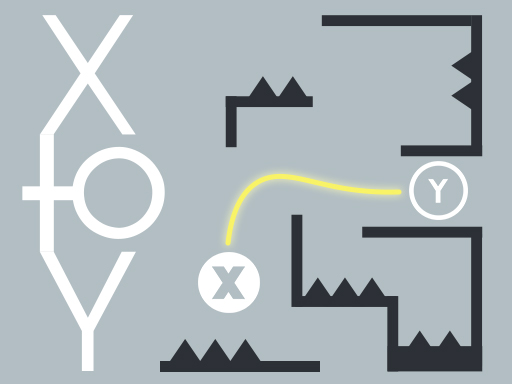 X to Y: Almost Impossible! (this page) X to Y: Almost Impossible! (this page) | — | Landscape | Mouse, Touch, Drag & drop, WASD keys, Arrow keys, Keyboard | Javascript |
 Skillful Finger Skillful Finger | classic, skill | Landscape | Mouse, Touch, Drag & drop | Javascript |
 12-in-1 Solitaire 12-in-1 Solitaire | daily | Landscape | — | Javascript |
 Grand Pet Connect Grand Pet Connect | classic, levels | Landscape | Touch | Construct 3 |
 Flick Shot Soccer Flick Shot Soccer | drag | Portrait | Mouse, Touch, Drag & drop | WebGL |
 Max Crusher 2 - Destruction, Drift, and Racing! Max Crusher 2 - Destruction, Drift, and Racing! | drag | Landscape | WASD keys | WebGL |
 Tiny Golf King Tiny Golf King | levels, skill | Portrait | Mouse, Touch | Construct 3 |
Browse related games
X to Y: Almost Impossible! is tagged with the following. Each tag is a live collection page — a fast way to find more games built on the same idea.
Questions about X to Y: Almost Impossible!
How do you control X to Y: Almost Impossible!?
The publisher notes mention Mouse, Touch, Drag & drop, WASD keys, Arrow keys, Keyboard. PC (Keyboard) • WASD / Arrow Keys = Move • WASD / Arrow Keys and Shift = Fast Move • WASD / Arrow Keys and Space = Slow Move PC (Mouse) • Drag the left mouse button = Move Mobile/Tablet (Touch) • Tap & hold to move; drag your finger to move
Can you play X to Y: Almost Impossible! on a phone?
X to Y: Almost Impossible! has a 960×600 landscape canvas. The supplied controls mention touch input. Canvas dimensions and control notes alone do not verify compatibility with a particular phone or browser.
What kind of game is X to Y: Almost Impossible!?
It is listed as a arcade game, tagged classic, daily, levels, skill. The catalogue tags it as level-based.
Is X to Y: Almost Impossible! free, and does it need an install?
This GameDistribution game is unavailable on this site. Its publisher-listed details are free to browse.