Publisher instructions for Hyper Wave Challenge
- Mouse
Controls for smartphones: • Hold your finger to make the Wave fly up; • Don't press anything to make the Wave fly down. Controls for computers: • Hold the left mouse button/space to make the Wave fly up; • Don't press anything to make the Wave fly down; • Q - add a checkpoint in practice mode; • E - delete the last checkpoint in practice mode; • ESC / P / TAB - pause.
Will it run on your device?
Hyper Wave Challenge has a 800×600 landscape canvas. The supplied controls do not confirm touch support. Canvas dimensions and control notes alone do not verify compatibility with a particular phone or browser.
The catalogue lists Javascript as its technology. Performance depends on the game and your device. This game cannot be played on this site.
| Category | Arcade |
|---|---|
| Canvas size | 800 × 600 px |
| Orientation | Landscape (4:3) |
| Input | Mouse |
| Touch controls documented | Not stated by the developer |
| Phone compatibility | Not verified |
| Technology | Javascript |
| Players | Not specified |
| Access here | Details free to browse; gameplay unavailable here. |
How Hyper Wave Challenge compares to similar games
These are the closest matches in the library, ranked by how many tags they share with Hyper Wave Challenge. The table compares listed canvas orientation, control notes and technology labels. It does not compare tested gameplay experiences.
| Game | Shares | Orientation | Input | Engine |
|---|---|---|---|---|
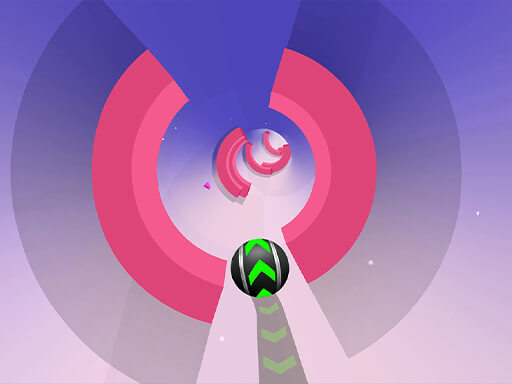
 Hyper Wave Challenge (this page) Hyper Wave Challenge (this page) | — | Landscape | Mouse | Javascript |
 Jump Dash Jump Dash | geometry, jumping | Landscape | Touch | WebGL |
 67 Clicker Tap Tap 67 Clicker Tap Tap | clicker, 2d | Landscape | Mouse, Touch, Spacebar | WebGL |
 Otu Otu | geometry | Landscape | Touch, Arrow keys | Construct 3 |
 67 Clicker 67 Clicker | clicker | Portrait | Mouse, Touch | Javascript |
 Goo Goo Gaga Clicker Goo Goo Gaga Clicker | clicker | Landscape | Mouse, Touch | WebGL |
 Capybara Jump Capybara Jump | jumping | Landscape | — | Javascript |
Browse related games
Hyper Wave Challenge is tagged with the following. Each tag is a live collection page — a fast way to find more games built on the same idea.
Questions about Hyper Wave Challenge
How do you control Hyper Wave Challenge?
The publisher notes mention Mouse. Controls for smartphones: • Hold your finger to make the Wave fly up; • Don't press anything to make the Wave fly down. Controls for computers: • Hold the left mouse button/space to make the Wave fly up; • Don't press anything to make the Wave fly down; • Q - add a checkpoint in practice mode; • E - delete the last checkpoint in practice mode; • ESC / P / TAB - pause.
Can you play Hyper Wave Challenge on a phone?
Hyper Wave Challenge has a 800×600 landscape canvas. The supplied controls do not confirm touch support. Canvas dimensions and control notes alone do not verify compatibility with a particular phone or browser.
What kind of game is Hyper Wave Challenge?
It is listed as a arcade game with a 2D tag, tagged 2d, galaxy, geometry, clicker. The catalogue does not specify its run structure.
Is Hyper Wave Challenge free, and does it need an install?
This GameDistribution game is unavailable on this site. Its publisher-listed details are free to browse.