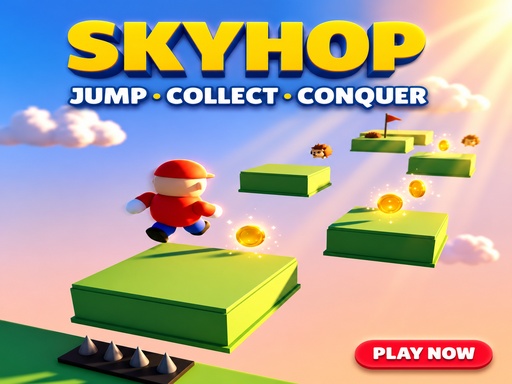
Publisher instructions for SkyHop — 3D Parkour Adventure
- Drag & drop
- WASD keys
- Arrow keys
? Controls & Gameplay ⌨️ Desktop: WASD / Arrow Keys = Move Space = Jump & Double Jump Shift = Sprint Esc = Pause ? Mobile: Virtual Joystick = Move Jump Button = Jump & Double Jump Drag = Rotate Camera ? Explore floating islands, collect ? coins and ⭐ stars, activate ? checkpoints, use ⚡ power-ups, avoid ❤️ damaging traps and enemies, and race to the ? finish flag. Master every jump and earn up to ⭐⭐⭐ on each level!
Will it run on your device?
SkyHop — 3D Parkour Adventure has a 1280×720 landscape canvas. The supplied controls do not confirm touch support. Canvas dimensions and control notes alone do not verify compatibility with a particular phone or browser.
The catalogue lists Javascript as its technology. Performance depends on the game and your device. This game cannot be played on this site.
| Category | Arcade |
|---|---|
| Canvas size | 1280 × 720 px |
| Orientation | Landscape (16:9) |
| Input | Drag & drop, WASD keys, Arrow keys |
| Touch controls documented | Not stated by the developer |
| Phone compatibility | Not verified |
| Technology | Javascript |
| Players | Not specified |
| Access here | Details free to browse; gameplay unavailable here. |
How SkyHop — 3D Parkour Adventure compares to similar games
These are the closest matches in the library, ranked by how many tags they share with SkyHop — 3D Parkour Adventure. The table compares listed canvas orientation, control notes and technology labels. It does not compare tested gameplay experiences.
| Game | Shares | Orientation | Input | Engine |
|---|---|---|---|---|
 SkyHop — 3D Parkour Adventure (this page) SkyHop — 3D Parkour Adventure (this page) | — | Landscape | Drag & drop, WASD keys, Arrow keys | Javascript |
 Climb Up Climb Up | jumping, skill | Landscape | Mouse, Touch, Drag & drop | Javascript |
 Void Orbit Void Orbit | endless, skill | Landscape | Touch | Javascript |
 NinjaRoof NinjaRoof | jumping, endless | Landscape | Touch, Keyboard | Construct 3 |
 Sky Assault Sky Assault | endless, skill | Landscape | Mouse, WASD keys, Arrow keys | Javascript |
 Capybara Jump Capybara Jump | jumping | Landscape | — | Javascript |
 Goo Slime Jump Goo Slime Jump | jumping | Landscape | Touch | Construct 3 |
Browse related games
SkyHop — 3D Parkour Adventure is tagged with the following. Each tag is a live collection page — a fast way to find more games built on the same idea.
Questions about SkyHop — 3D Parkour Adventure
How do you control SkyHop — 3D Parkour Adventure?
The publisher notes mention Drag & drop, WASD keys, Arrow keys. ? Controls & Gameplay ⌨️ Desktop: WASD / Arrow Keys = Move Space = Jump & Double Jump Shift = Sprint Esc = Pause ? Mobile: Virtual Joystick = Move Jump Button = Jump & Double Jump Drag = Rotate Camera ? Explore floating islands, collect ? coins and ⭐ stars, activate ? checkpoints, use ⚡ power-ups, avoid ❤️ damaging traps and enemies, and race to the ? finish flag. Master every jump and earn up to ⭐⭐⭐ on each level!
Can you play SkyHop — 3D Parkour Adventure on a phone?
SkyHop — 3D Parkour Adventure has a 1280×720 landscape canvas. The supplied controls do not confirm touch support. Canvas dimensions and control notes alone do not verify compatibility with a particular phone or browser.
What kind of game is SkyHop — 3D Parkour Adventure?
It is listed as a arcade game, tagged endless, skill, parkour, jumping. The catalogue tags it as endless.
Is SkyHop — 3D Parkour Adventure free, and does it need an install?
This GameDistribution game is unavailable on this site. Its publisher-listed details are free to browse.